


WebTextEditor provides a property to add item in context menu.
In this topic, you will learn how to add item.
To add item in context menu
- Set EnableContextMenu property to True.
- Place the following code under OnEditorContextMenu and OnClick client side events.
C#  Copy Code
function WebTextEditor1_OnEditorContextMenu(controlId, menuObj) { var items = menuObj.RootMenu.Items; if (items.GetNamedItem("mLookUp") == null) { items.Add(new WebMenuSeparatorItem()); items.Add(new WebMenuItem("mLookUp", "Look Up...", null, OnClick)); } } function OnClick(menuItem) { if (menuItem.Name == "mLookUp") window.open("http://www.google.com/search?q=webui+studio"); }
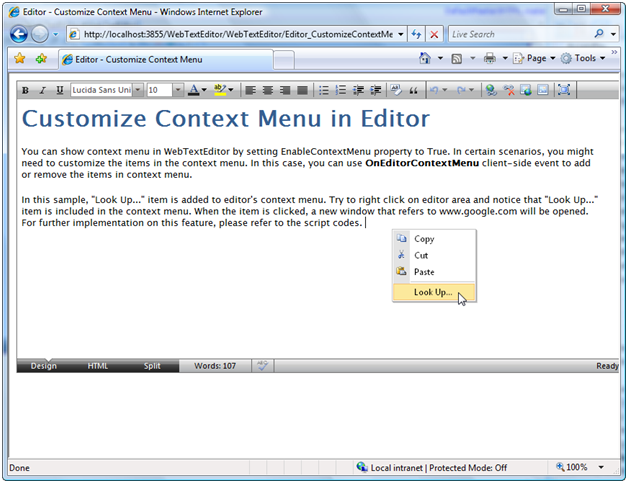
- When you run the project, "Look Up..." item is added to editor's context menu. Try to right click on editor area and notice that "Look Up..." item is included in the context menu. When the item is clicked, a new window that refers to www.google.com will be opened.
 See Also
Other Resources
{Customize Context Menu}